Jack Sullivan (#9) was in on three of the four goals: one goal, two assists.
3
points
For youth hockey coaches
Log shots, faceoffs and breakouts rink-side in five taps. Read the story of the game in the parking lot. Walk into practice knowing exactly what to work on.
Free for coaches. No credit card.
The loop
Every screen in HockeyPilot is one of three moments, and each one hands off to the next.
TrackSaturday, at the glass
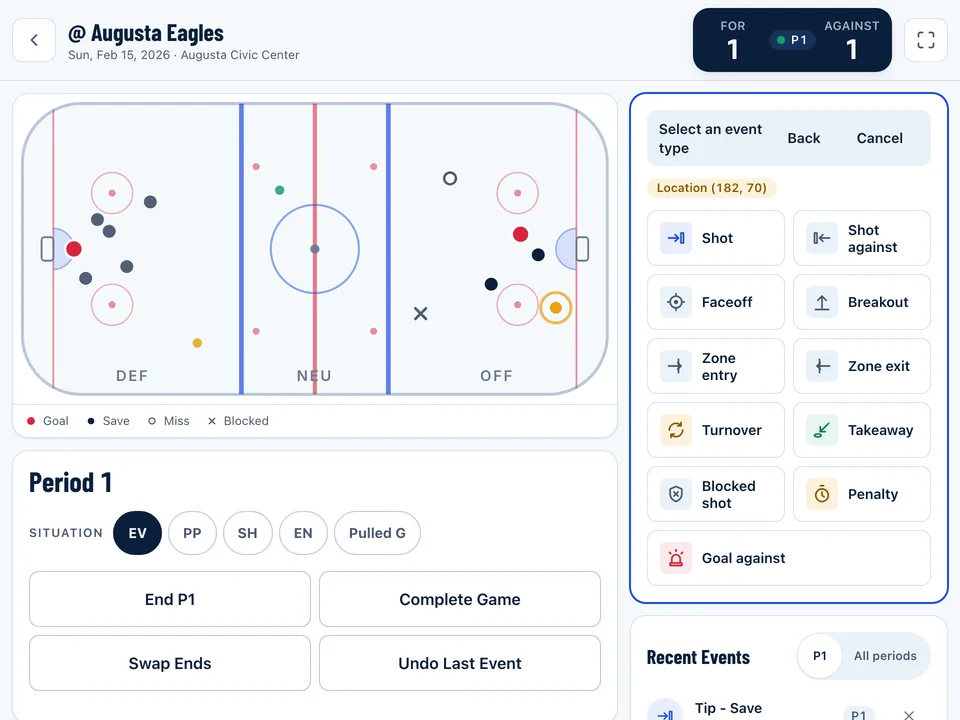
Tap the ice, pick the event, pick the player. Score, shots and situation keep themselves.
RecapSaturday, in the parking lot
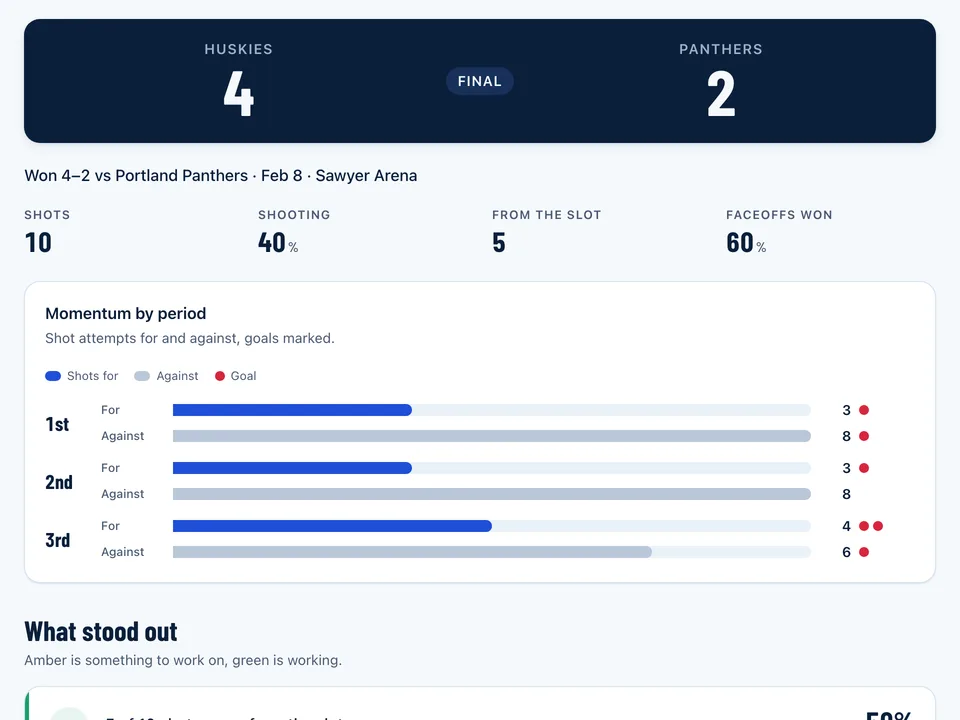
Score, momentum by period and what actually happened, before you’ve started the car.
PracticeMonday night, at the kitchen table
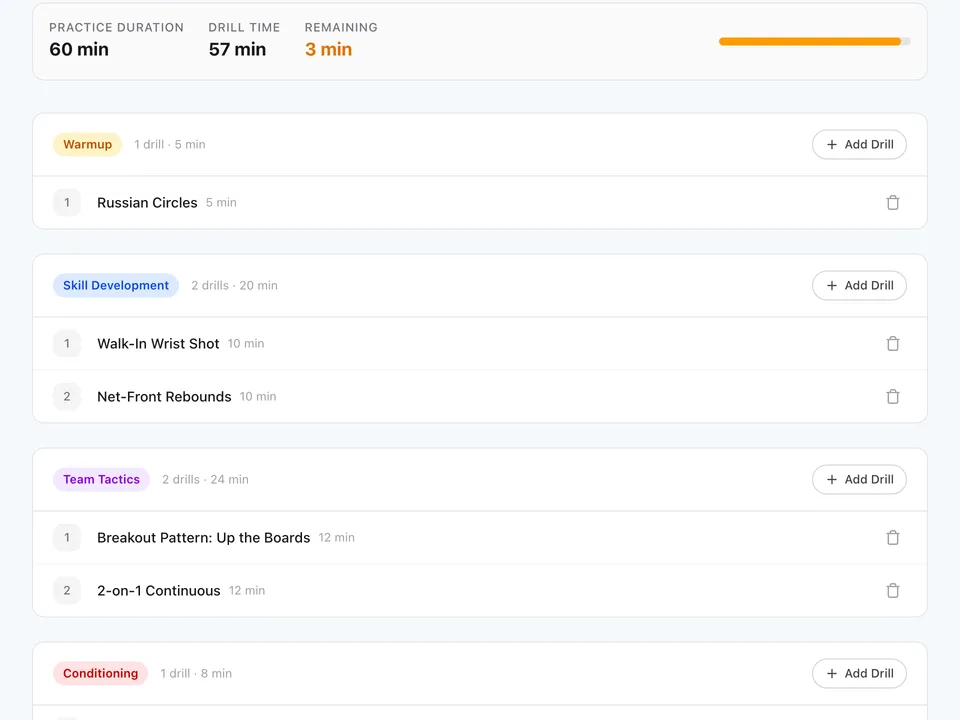
Turn the recap into Tuesday’s plan: drills picked for what went wrong, timed to your ice slot.
A real recap
This is the recap from one tracked 12U game: 30 events, logged on an iPad. No spreadsheet, no film session.
Bangor Jr. Huskies vs Portland Panthers · Sawyer Arena
Jack Sullivan (#9) was in on three of the four goals: one goal, two assists.
Five high-danger chances from the slot produced three goals, and a fourth rang the post.
Both shots from the point were low-danger and neither scored: one blocked, one an easy save.
Built for the rink
Lose the rink Wi-Fi mid-period and keep tracking. The game syncs when you’re back online.
Every rink-side button is big enough for a cold thumb, in a bright arena or a dark parking lot.
Track on the iPad at the glass. Read the recap on your phone. Plan practice on the laptop.
Who it’s for
Track the game, read the story, build the next practice. The whole loop in one place.
Run the iPad while the head coach runs the bench, and work from the same recap on Monday.
Read-only recaps after every game: the score, the story and the standouts. Nothing they can break.
Pricing
$0free, for every team you coach
For coaches who want the planning done for them.
Everything in Coach stays free.
FAQ
Yes. Tracking, recaps and practice planning are free for coaches. A Pro tier with AI practice plans and player development profiles is coming, and everything that’s free today stays free.
No. HockeyPilot keeps tracking with no connection and syncs the game as soon as you’re back online.
A web browser. It’s designed for an iPad at the glass and a phone in the parking lot; a laptop works well for planning practice. Add it to your home screen for a full-screen rink.
Most teams hand the iPad to an assistant, a manager or a parent. At about five taps per event, one person can keep up with a full game.
Only the people you invite. Staff roles decide who can track games and who can only read recaps.
Set up your team in about two minutes. Track Saturday. Read the recap before you leave the rink.